2026-06-28 | [misc]
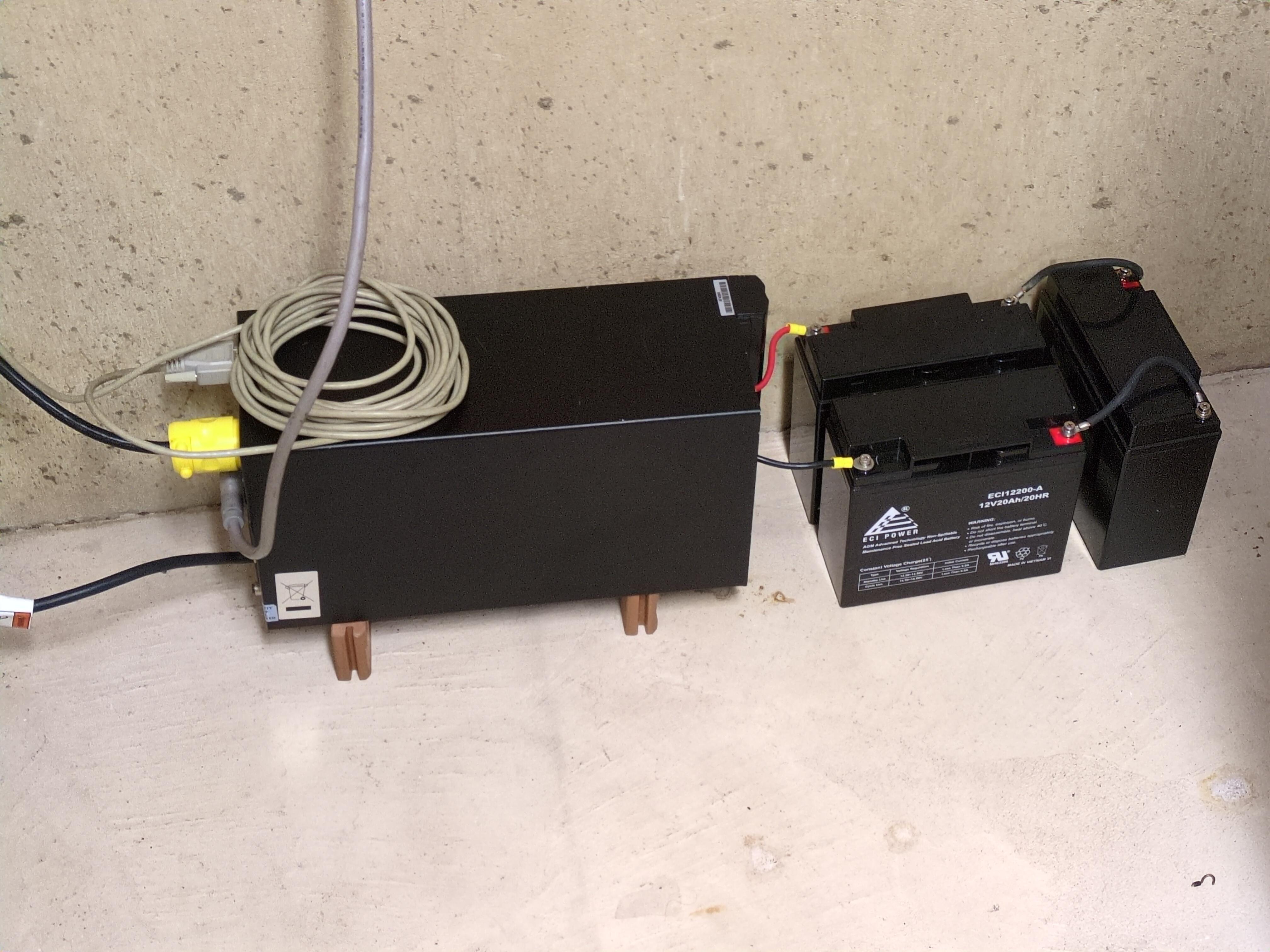
Another old UPS from the eWaste bin, but this is a nice one! It is pure sine wave output, and can do 950 Watts, from a 36V Lead acid cell.
I already use one of these on my bicycle generator, and then I found a second one. But I already had my main server on a different eWasted UPS, which, while a cheap model, did work with the CyberPower pwrstat tool to detect power outages and shut down the computer safely.
That was until one day when I was finally experimenting with some local LLMs and the power draw of the server running a 3090 became too great for the poor CyberPower unit, and it shut itself off. So I knew I would finally need to switch to a different UPS.
My unit didn't come with any batteries, and the internal ones are very small, so I got 3x 20Ah 12V SLA cells for 36V. That part is easy. Make sure to use thick wire to tie the cells together in series. I used some #8 AWG, which is even thicker than the battery leads it comes with.
The data connection is next. I could not get my server to detect anything on the USB connection (it does have a bad USB chipset somewhere), so I would have to use a serial port (which ironically is also USB). The 9-pin RS-232 port on the UPS uses a straight-through cable.
The software is not so simple. This UPS is old (maybe 2009?), and is "Enterprise Grade". The only software I found for it either some enterprise software that dropped support for our G3 UPS since it got EOL'd long ago, or the Windows XP based HP Power Manager 4.2.6. I got Power Manager working on a Windows XP VM, in order to make sure the UPS works. It provides a http server with the status - input and output voltage, output in watts, etc.
You can write a program to listen to that server and get the UPS information from it, but running a whole XP instance doesn't seem all that robust. It also doesn't account for anything that would shut down the system safely.
I thought it might be possible to make a native Python program to connect to the UPS on the serial port. When the Power Manager connects in Windows XP, it does give a hint that it connects at 9600 baud and uses some protocol called "XCP". I looked briefly, but I didn't see any such simple UPS control software.
Then, I gave the UPS over to OpenCode. This runs on a local LLM using LMStudio. My AI machine is a VM with 16 cores, 40 GB system RAM, and 1x 3090 passed through to the VM. It runs Qwen 3.6 27B Q4_K_M with a context window of about 100000 tokens, and the whole system consumes about 550W when running. I passed the serial port for the UPS over to that machine, and gave OpenCode a copy of the Power Manager install folder from XP.
It did look at some of the Power Manager files to get an idea of how to talk to the UPS, but ultimately looked at an existing implementation of XCP from the Network UPS Tools project (GPLv2) and implemented it in Python. From there, it is trivial for the AI to make the main set of the two features I needed, which are:
The only feature it doesn't have is that when the utility power comes back on, the UPS does not support turning itself back on, you still have to go down and press the power button yourself. That's OK though, the main thing is that the server shuts down safely. Interestingly, you can power the UPS back on with a command over the serial port, but since you need the server computer to already be powered on in order to do this, it can't do it.
If you have the same UPS, maybe you could make use of the script I now use - alnwlsn-hp-ups.zip.